Overview
On the Overview tab of the Domain Details section, you will find a collection of useful information to manage your domain. This information is divided into six boxes to help you easily understand your domain's usage, cookies, version, and usage limits. Each box provides details on different aspects of your domain, including your subscription and usage, the number of cookies detected, helpful links to commonly used features, the current CookieHub widget version, any pending cookie scans, and session usage for the current billing period.

Subscription and usage: In this section, you'll see the details of your current subscription plan, including the included monthly sessions and the next renewal date. If you wish to upgrade or downgrade your subscription plan, simply click the "Change subscription" button.
Cookies: Here, you can view the number of cookies detected in the most recent scan and check if CookieHub is correctly blocking them. To get more detailed information about the cookies in use, categories, and add more details, click the "Manage cookies" button. You'll be taken to the "Cookies" tab where you can see a complete overview of the cookies being used, categorize them, and more.
What do you want to do?: This section provides helpful links to actions that you may want to perform next. Here, you can customize the user interface, edit content and translations, change settings and regions, enter the implementation assistant, and manage cookies.
Version: In this section, you can see the current version of the CookieHub widget in use. If an update is available, you can click the "Upgrade" button to get the latest version.
Cookie scan: In this section, you'll find the details of the most recent cookie scan. If a scan is currently pending, you'll see an indication here.
Usage: This section displays your current session usage for the current billing period compared to the included sessions.
In the lower section of the Overview tab, you can perform several actions to manage your domain:
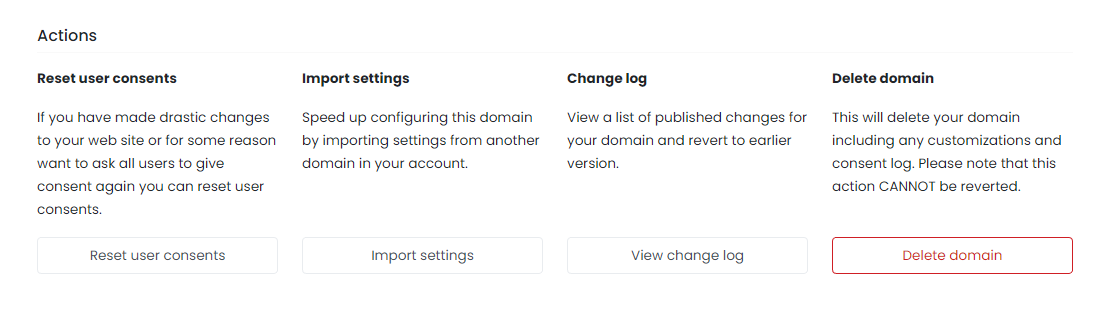
Reset user consents: If you've made significant changes to your website or need to ask users for consent again, you can reset their consents with this action.
Import settings: To speed up configuring a new domain, you can import settings from an existing domain in your account.
Change log: This section displays a list of changes made to your domain over time, allowing you to revert to earlier versions if needed.
Delete domain: If you no longer need a domain, you can delete it using this action. Please note that this action is irreversible and will delete all customizations and consent logs associated with the domain.