Exclude CookieHub from certain pages
In certain cases, it may be necessary to exclude specific pages, such as privacy policy or legal disclaimers, from displaying the CookieHub dialog to allow users to read essential information without interruptions. By following the steps outlined below, you can seamlessly configure CookieHub and Google Tag Manager to exclude designated pages from showing the CookieHub dialog.
Please note that this guide assumes you have already set up CookieHub and have basic familiarity with Google Tag Manager. Let's dive into the steps:
- Log in to Google Tag Manager.
- Click on the "Variables" section on the left.
- Click the New button in "User-Defined variables"
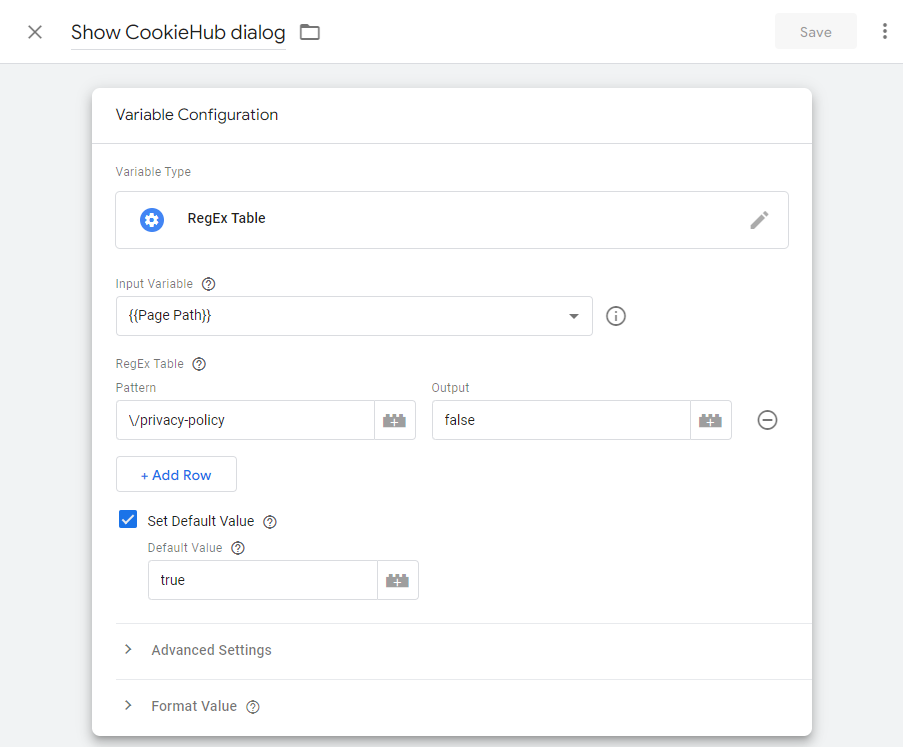
- Choose "RegEx Table "as the variable type
- Select {{Page Path}} as the "Input Variable".
- In the RegEx Table, add a row and specify the URL pattern that should be excluded (e.g., \/privacy-policy). Please note that special characters need to be escaped so put a backward slash in front of any forward slash.
- Set the Output value for the excluded URL pattern to false.
- Check the "Set Default Value" option and set the Default value to true.
- Provide a name for the new variable and save it.
- Go to the "Tags" section and locate the CookieHub tag.
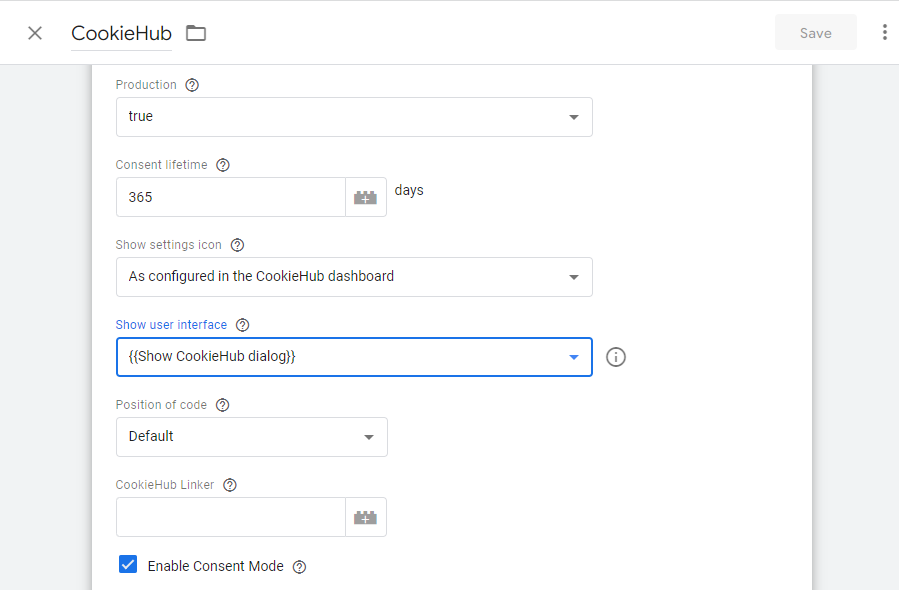
- Click the Edit icon to modify the tag configuration.
- Look for the "Show user interface" field and select the newly created variable from the dropdown list.
- Save the changes to the CookieHub tag.
- Publish the changes in Google Tag Manager to make them live on your website.